Portal Knowledge Base
Where can I view my supervisees in my BACB portal account?
- On the main page of your portal account, your supervisees are listed in the Supervision Information widget.
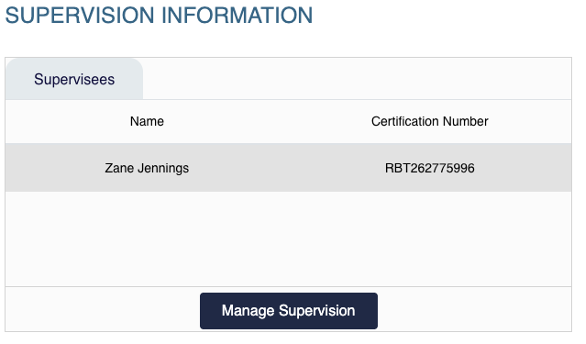
- Select Manage Supervision for more information about each supervision relationship. This is also where you can add or remove supervisees.